
If you’ve ever plugged a USB device into your computer and wanted to know exactly what’s inside it—controller, vendor details, power specs, or authenticity—then you’ve probably come across ChipGenius. It’s a handy utility, especially for identifying USB flash drive controllers and detecting fake storage devices.
But here’s the catch: ChipGenius isn’t always updated regularly, it’s Windows-centric, and sometimes struggles with newer hardware. That’s why many users look for reliable alternatives that are more accurate, modern, or feature-rich.
Read More: What Is the Difference Between ChipGenius and ChipEasy?
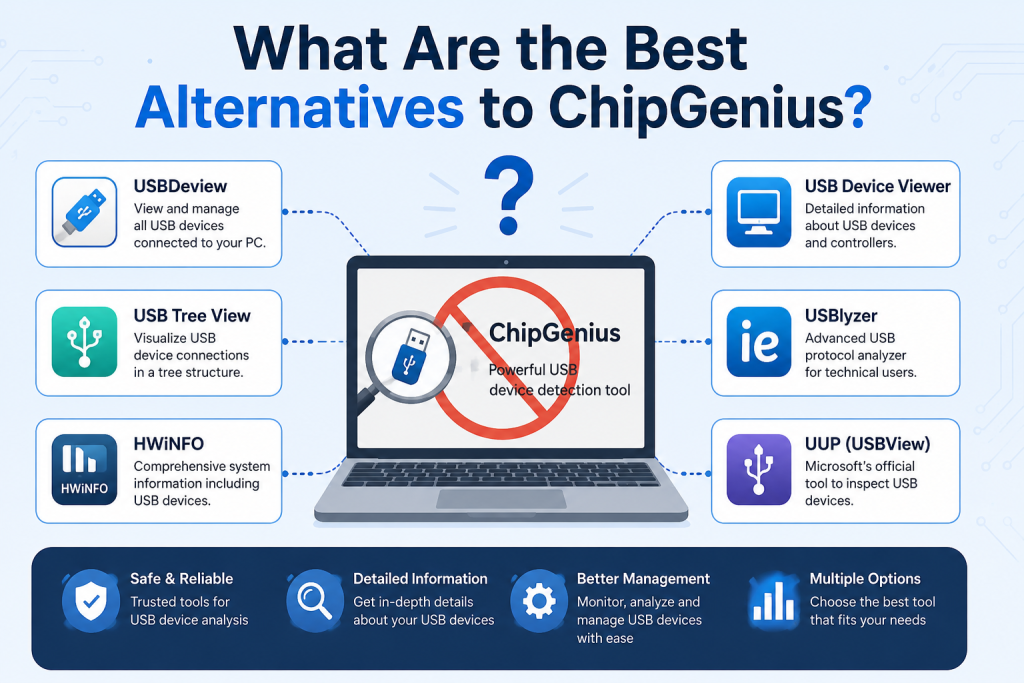
USBDeview (NirSoft) Lightweight and Powerful USB Inspector
One of the most popular alternatives is USBDeview, developed by NirSoft.
USBDeview gives you a complete history and detailed overview of all USB devices that have ever been connected to your system. It shows:
- Device name and type
- Vendor and product ID
- Serial number
- Connection history
- Current status (connected/disconnected)
Why it’s a great alternative:
USBDeview is extremely lightweight and portable. Unlike ChipGenius, it doesn’t just focus on flash drives—it covers all USB devices, making it more versatile for troubleshooting and auditing.
USB Device Tree Viewer – Best for Deep Hardware Analysis
If you want something more advanced, USB Device Tree Viewer by Uwe Sieber is one of the most powerful tools available.
It displays your USB system in a tree structure, showing how devices are connected through hubs and controllers.
Key features:
- Real-time USB topology view
- Advanced descriptor reading
- Bandwidth usage per device
- Power consumption details
- Debug-level information for professionals
Why choose it:
This tool is perfect for IT engineers and advanced users who want to understand how USB devices communicate with the system at a deeper level.
HWiNFO – Complete Hardware Monitoring Suite
HWiNFO is not just a USB tool—it’s a full system diagnostics powerhouse.
It provides extremely detailed hardware information, including:
- CPU, GPU, and motherboard details
- Storage and USB device detection
- Sensor monitoring (temperature, voltage, fan speed)
- Real-time system stats
Why it’s useful as a ChipGenius alternative:
While ChipGenius focuses mainly on USB flash drives, HWiNFO gives you a full picture of your system hardware, including connected USB devices with accurate identifiers.
AIDA64 – Professional System Information Tool
Another strong alternative is AIDA64, widely used in IT diagnostics and benchmarking.
What it offers:
- Detailed hardware inventory
- USB device identification
- Benchmarking tools
- System stability testing
- Network and software analysis
Why it stands out:
AIDA64 is a premium-grade tool used in professional environments. If you need deep reporting for audits, troubleshooting, or hardware validation, it’s one of the most reliable choices.
Speccy – Simple and Beginner Friendly Option
For users who want something easy, Speccy is a great option.
Features:
- Clean interface
- Basic USB device info
- CPU, RAM, storage overview
- Temperature monitoring
Why it’s useful:
Speccy doesn’t overwhelm you with technical details. It’s ideal for beginners who just want a quick overview of connected hardware and system specs.
Windows Device Manager Built-in and Always Available
If you don’t want to install anything, Device Manager in Windows is a surprisingly useful alternative.
You can:
- View connected USB devices
- Update or uninstall drivers
- Check device status
- Identify unknown hardware
Limitation:
It doesn’t show deep controller-level details like ChipGenius, but it’s still a reliable first stop for troubleshooting.
lsusb (Linux) Best for Linux Users
On Linux systems, the go-to tool is lsusb, a command-line utility that lists all USB devices connected to your machine.
What it shows:
- Device IDs
- Vendor and product information
- Bus and port details
Why it matters:
It’s lightweight, fast, and extremely useful for developers and system administrators working in Linux environments.
Conclusion
If you only want a lightweight way to view connected USB devices and their details, tools like USBDeview or USB Device Viewer are simple and effective. For deeper system-level hardware analysis, HWiNFO provides much broader diagnostics beyond USB devices. If you need advanced protocol-level inspection, USBlyzer is more suitable for technical users, while UUP USBView offers a reliable built-in style alternative for Windows environments.